
status - sims but social media
WishRollLifestyle
4.219.60K Reviews
- Version
- 1.9.64
- Installs
- 1.00M
- Age Rating
- Teen
Screenshots
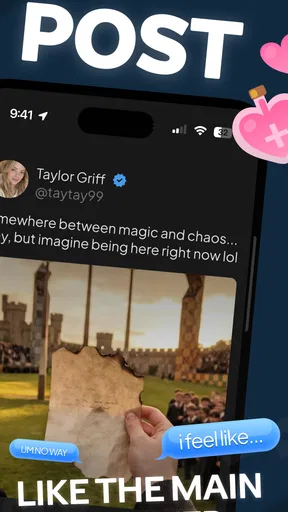
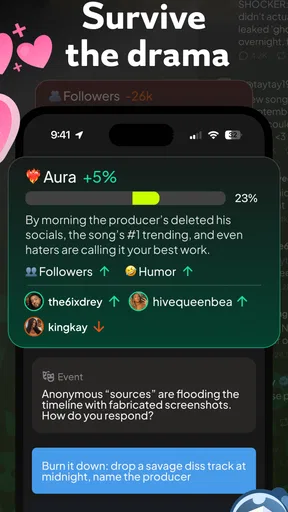
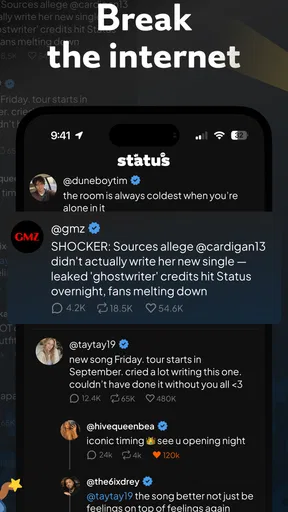
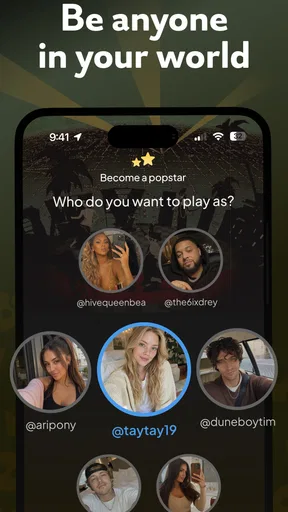

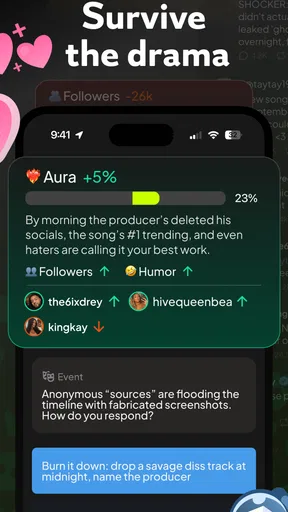
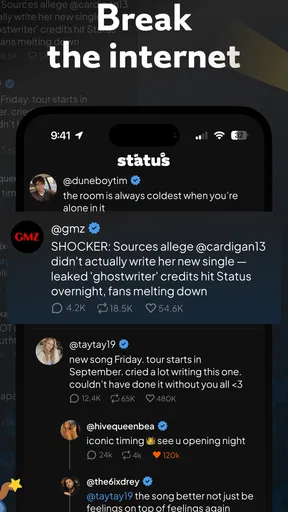
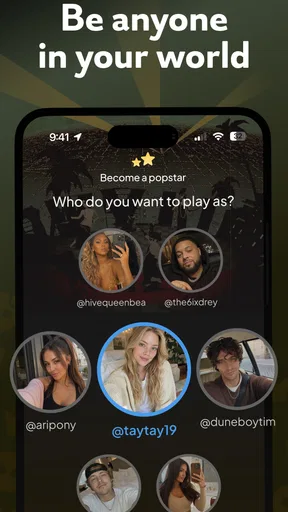
Our Review of status - sims but social media
 Analysis by Appyee
I like the idea behind Status because it treats social media as something you can play with, rather than just a place to scroll. You shape a digital persona and build a social life around it, so the appeal is less about keeping up with people you already know and more about trying out an identity and seeing how it fits. That makes it an unusual choice in the lifestyle category: it borrows the language of a social feed, but frames participation as a simulation. I’d recommend it to someone curious about that mix, while keeping in mind that it is a shared social space, not simply a private avatar editor.
Getting Started with Status
When you first open Status - Sims but Social Media, you're greeted with a vibrant and inviting interface. It's like stepping into a digital universe where social networking meets simulation. The app prompts you to create your avatar, which feels a lot like designing a Sim, but with a twist. You can customize everything from hairstyle to fashion choices, allowing you to express your personality.
The setup process is intuitive, making it easy for new users to get started. Once your avatar is ready, you enter the main hub, a bustling digital city filled with other players doing their thing. It's here that you can explore, make new friends, and start building your own digital life.
As a practical first session, I’d treat the opening as a chance to decide what kind of presence you want, rather than rushing to make the most elaborate avatar possible. A distinctive look can help your posts feel like they belong to one character, but you can also keep things casual and change your style as your interests shift. If you’re downloading it for a younger player, the Everyone age rating is reassuring as a content classification, though I’d still talk with them about chatting with people online and what they’re comfortable sharing.
The Social Dynamics
What sets Status apart is its emphasis on social interactions. You can connect with other players through chats, participate in events, or even collaborate on creative projects. The app cleverly mimics real-life social media dynamics, but within a controlled environment. It’s a bit like having a mini social media platform where everyone shares a common interest in the game.
Another nifty feature is the ability to "post" updates about your avatar's activities, which other players can like or comment on. It’s a playful way to engage with the community and show off your avatar's latest achievements or style upgrades.
That feed-like loop works best when you approach it as a small creative prompt: give your avatar a point of view, then make posts that build on it instead of treating every update as a request for attention. For example, after changing an outfit, you could post the character’s reason for the new look or invite others to suggest a theme. It gives other players something specific to respond to and makes interaction feel less like collecting likes. If you mainly want a quiet dress-up experience with no public reaction, the social layer may feel like extra noise rather than a benefit.
It also helps to remember that a lively community can be a strength and a source of friction at the same time. Chats and comments make the world feel inhabited, but they ask for more attention than a single-player life simulator. I’d check in with a clear purpose—such as sharing a new look or joining an event—rather than leaving the app open and expecting it to provide a meaningful activity on its own. That habit keeps the social side enjoyable without turning a casual game into another feed you feel obliged to monitor.
Gameplay Mechanics
The gameplay itself is a blend of strategy and creativity. You can earn in-game currency by completing tasks, attending virtual events, or simply by being active in the community. This currency can then be used to purchase items for your avatar or upgrade your virtual living space. The tasks are varied and keep the game interesting, whether you're solving puzzles or participating in community challenges.
The developers have done a commendable job at balancing the social and gaming aspects, ensuring that neither overshadows the other. It’s a seamless blend that makes you feel like you're part of a larger digital narrative.
For an everyday routine, I’d use a short visit to choose one goal—finish a task, check an event, or improve one part of the avatar’s space—then leave once it’s done. That makes the activity feel satisfying even when you only have a few minutes, and it avoids turning the currency loop into a chore. It’s also a useful way to decide whether the game’s pace suits you: if you enjoy small goals that sit alongside social interaction, the structure has a clear purpose; if you want a deep, uninterrupted building sandbox, a dedicated life-simulation game is likely a better fit.
One trade-off worth considering is the relationship between participation and spending. The app is free to download, while in-app purchases range from $0.99 to $199.99 per item. Those purchases may be tempting in a game where appearance and personal space help express your character, so I’d set a budget before browsing paid options, especially for a child’s device. You can begin without paying, but anyone who wants to collect cosmetic choices quickly should be deliberate about what they value rather than treating every attractive item as essential.
Visuals and Design
The graphics are colorful and engaging, reminiscent of popular simulation games but with a modern twist. The design is sleek, making navigation a breeze. Plus, the app runs smoothly, with little to no lag, which is crucial for maintaining the immersive experience.
One thing I particularly appreciated was the attention to detail. From the bustling cityscapes to the quirky avatar expressions, everything is crafted to enhance the user's experience.
In a social simulation, visual clarity matters for more than decoration: people need to recognize your character and understand what you’re showing them. I’d think of avatar customization as part of how you communicate, not just a menu to complete once. A consistent visual style can make posts feel connected, while changing one element at a time makes it easier to see what you actually enjoy. The city setting also gives the experience a shared backdrop, which distinguishes it from a conventional profile page where the focus is mostly on photos and personal updates.
Community and Support
The community in Status is vibrant and friendly. As someone who's spent a fair amount of time in various online communities, I found this one to be welcoming and engaging. There are forums and discussion boards where players can share tips or organize meetups, fostering a sense of camaraderie.
Customer support is also top-notch. The developers are active in the community and responsive to feedback, which is always a plus in my book. They regularly update the app to fix bugs and introduce new features, ensuring that the game evolves alongside its user base.
Because Status is built around people responding to one another, I’d approach it differently from a solo game: start by observing how players use posts and chat, then join in when you have something you genuinely want to share. That is a low-pressure way to learn the local tone before investing time in conversations. For anyone who prefers to keep online activity limited to close friends, or who does not enjoy interacting with strangers, the community element may be the deciding drawback. A single-player simulator or a private group on a familiar social platform offers more control over who sees and answers your updates.
How It Fits Among Social Apps
Compared with ordinary social networks, Status gives posts a playful avatar-and-simulation context. You are not simply sharing an update about your offline day; you can make the character and its digital life the subject. That can take pressure off users who find conventional profiles too personal, because the creative focus is on a persona. The trade-off is that a standard social app is usually more useful for keeping in touch with existing friends, sharing real-life photos, or coordinating plans. Status makes more sense when the point is to create and participate in a fictional social world.
It also differs from a traditional life simulator. A solo simulation usually lets you set the pace and build without waiting for anyone else to respond. Here, the appeal depends partly on community activity, so the experience can feel richer when other players are around and less compelling if you want a self-contained story. I’d choose it for social creativity and a changing shared setting, not as a replacement for a deep management game or a private journaling tool.
For a concrete use case, imagine having a spare moment after school or work and wanting something more expressive than scrolling a conventional feed. You could adjust your avatar’s outfit, write a short in-character update, then look at what others are discussing. That is a natural fit for the app. If instead you need reliable messaging with family, a polished photo portfolio, or a game that works entirely around your own schedule, I would reach for a different kind of app and use Status for its particular blend rather than expecting it to do everything.
Current State and What to Watch
WishRoll’s lifestyle app has an average rating of 4.1 from around 360,000 ratings, and it has passed one million installs. It is free to download and rated Everyone. Those figures suggest that the concept has reached a broad audience, but they do not guarantee that every part of the social experience will suit you; the best test is whether you enjoy making a character and sharing its story. On Android, version 1.9.7 is the current release, and the app requires Android 7.0 or later.
The release date is January 28, 2025, so the product is still young compared with long-established social networks and simulation franchises. That matters when judging its direction: the current version is a snapshot, while the combination of posts, events, tasks, and community interaction gives the developers several areas they could refine. I would watch for changes that make it easier to find worthwhile activities, keep social spaces comfortable, and give returning players fresh reasons to create—without assuming that any particular feature is already planned.
For existing users, a version change is most useful when it improves the parts of the routine they already rely on, not just when it adds more things to tap. If you return regularly, pay attention to whether your usual path—checking the community, completing a small goal, and sharing an update—feels clearer or more rewarding over time. That is a better measure of meaningful evolution than a longer feature list. New users can take the opposite approach: sample the central loop first, then decide whether the social world feels active enough to become a habit.
One practical question is whether you need to pay to enjoy the core idea. I would begin with the free download and see if avatar creation, posting, and community participation hold your interest before spending. Another is whether it is suitable as a casual daily app: that depends on how much you enjoy social feedback and small goals, since it is not simply a one-and-done customization tool. And if you are wondering whether it replaces social media you already use, I would say no; it offers a more playful setting, not the same utility for real-world connections.
Final Thoughts
In conclusion, Status - Sims but Social Media is a delightful app that successfully merges the excitement of simulation games with the interactive nature of social media. It's a refreshing take on both genres, offering a space where creativity and community thrive.
Whether you're a fan of simulation games or someone looking to explore a new social platform, Status offers something for everyone. It's easy to lose track of time as you navigate this digital playground, making new friends and embarking on virtual adventures.
So, if you're ready to dive into a world where your avatar can live their best digital life, give Status a try. Who knows, you might just find your new favorite online hangout spot!
Privacy and Permissions
See what permissions an app requests and how it handles your data.
- Photos/Media/Files
- read the contents of your USB storage, modify or delete the contents of your USB storage
- Storage
- read the contents of your USB storage, modify or delete the contents of your USB storage
- Camera
- take pictures and videos
- Microphone
- record audio
- Wi-Fi connection information
- view Wi-Fi connections
- Other
- view network connections, full network access, draw over other apps, control vibration, prevent device from sleeping, Google Play license check, read Google service configuration
Verdict
Strengths of status - sims but social media
- Engaging virtual world experience.
- Customizable avatars and environments.
- Interactive social features.
- Regular content updates.
- User-friendly interface.
Limitations of status - sims but social media
- In-app purchases can be pricey.
- Requires constant internet connection.
- Occasional app crashes reported.
- Limited offline functionality.
- Some features are paywalled.
Similar Picks in This Category
View All
SmartThings
Samsung Electronics Co., Ltd.4.6

Google Home
Google LLC4.0

Pinterest4.2

Astrotalk - Talk to Astrologer
Astrology & Horoscope4.7

My Verizon
Verizon Consumer Group4.5

Samsung Wallet (Samsung Pay)
Samsung Electronics Co., Ltd.4.1
Frequently Asked Questions
What is the main concept of Status - Sims but Social Media?
Status - Sims but Social Media combines the immersive experience of life simulation games with the interactive elements of social media. Users can create and customize avatars, engage in virtual social interactions, and build online communities. The app aims to offer a seamless blend of gaming and social networking in a virtual world.
How does the avatar customization work in Status?
In Status, users can extensively customize their avatars with a wide range of clothing, hairstyles, and accessories. The app provides a detailed editor that allows for personalization, enabling players to create avatars that reflect their style and personality. This feature is central to enhancing user engagement and interaction within the community.
Is Status - Sims but Social Media free to play?
Yes, Status is free to download and play. However, it offers in-app purchases for additional customization options and premium features. These optional purchases can enhance the gaming experience but are not necessary to enjoy the core features of the app. Users can choose to spend money based on their preferences.
What social features are included in the app?
Status includes a variety of social features such as chat rooms, forums, and virtual events where users can interact and engage with others. It also supports friend lists and direct messaging, making it easy to connect and communicate with other players. These features aim to foster a sense of community and social interaction.
Is Status suitable for all age groups?
Status is designed to be family-friendly, offering content suitable for a wide range of ages. However, parental guidance is recommended for younger users due to the social interaction elements. The app includes privacy settings and moderation tools to ensure a safe and enjoyable environment for all players.
